Agents
MCP
Connect Claude Code, Codex, the Claude app or any other MCP client to mxds, and what an agent can do through it.
mxds is an MCP server. An agent connected to it works in your open window: it runs SQL in a tab you can see, reads results, builds charts, edits and runs notebooks, opens terminal panes and searches the project's Recall.
An agent running in the mxds terminal does not need MCP — it can use the mxds CLI, which does the same things with shell commands and costs fewer tokens. MCP is for agents that cannot run shell commands, and for clients outside mxds.
Connecting a client
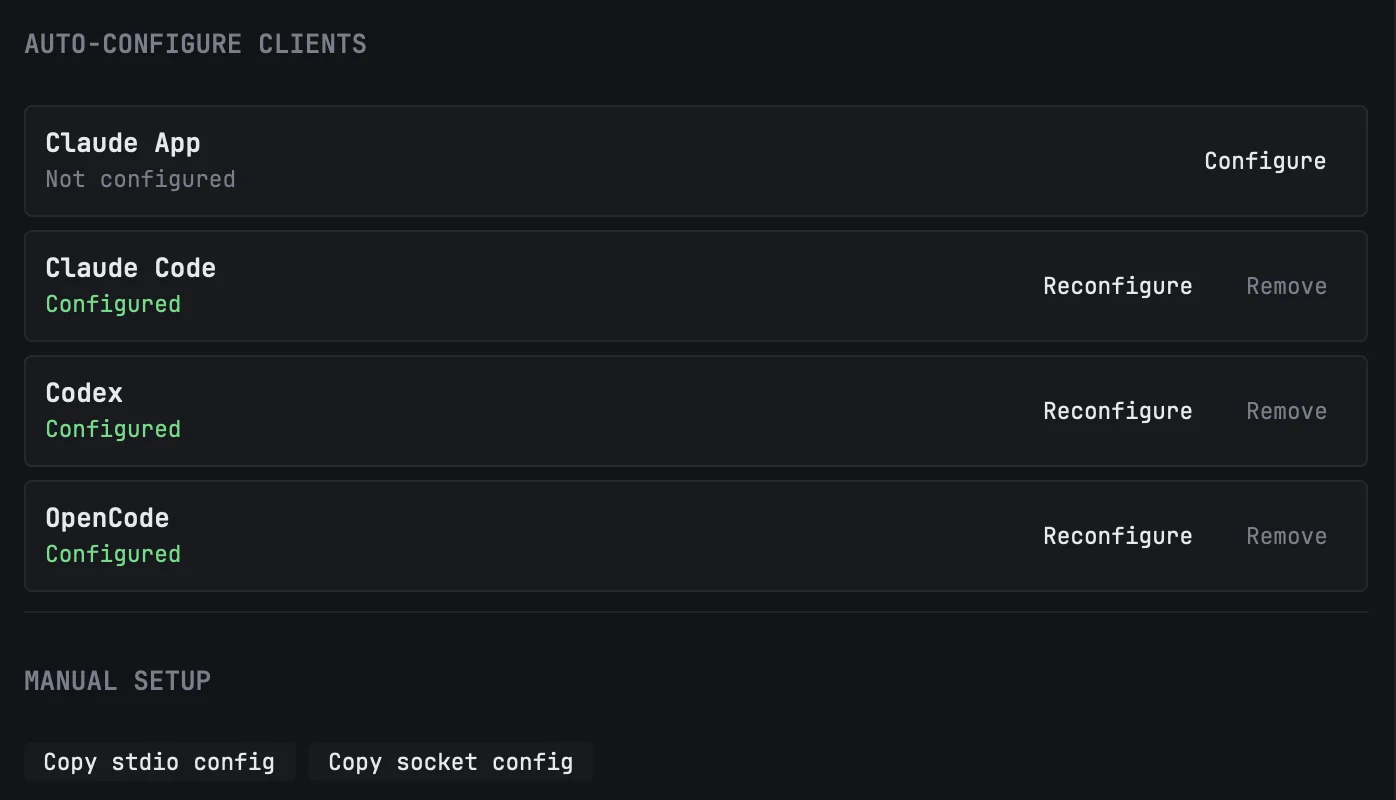
Open Settings → Integrations & MCP. Under Auto-Configure Clients, press Configure next to your client:
| Client | Its configuration file |
|---|---|
| Claude App | ~/Library/Application Support/Claude/claude_desktop_config.json |
| Claude Code | ~/.claude.json |
| Codex | ~/.codex/config.toml |
| OpenCode | ~/.config/opencode/opencode.json |
mxds adds an mxds entry to that file and changes nothing else in it. Each row says whether the client is configured; Remove takes the entry out again. mxds writes to these files only when you press the button. If Configure or Remove fails, the row shows why. If you move mxds.app to another folder, press Reconfigure.
Any other client
Under Manual Setup, Copy stdio config copies an entry you can paste into any client's MCP settings. It runs the app's own executable with --mcp:
{
  "mcpServers": {
    "mxds": {
      "command": "/Applications/mxds.app/Contents/MacOS/mxds",
      "args": ["--mcp"]
    }
  }
}
The exact path is shown on the same page under Command. Clients that can talk to a Unix socket directly can use Copy socket config instead; the socket is ~/.mxds/mcp.sock, shown as Socket Path.
When mxds is not running
mxds --mcp never starts the app. The client still connects and sees the tools; a call waits up to 30 seconds for mxds to open, then fails with mxds GUI is not reachable. Open mxds and call again — there is no need to restart the client or reconnect the server.
Only you can connect. The socket is readable only by your user account, and mxds refuses a connection from any other user on the Mac.
The MCP server switch on the same page turns the socket off. That also turns off the mxds CLI and the Claude Code IDE integration, since both go through it. A change takes effect after restarting mxds.
What an agent can do
| Group | What it does |
|---|---|
| App | read what is on screen: the active tab, its connection and last result; list connections; draft a bug report for you to send |
| Database | run SQL, list schemas and tables, describe a table, profile a column, explain a query, page through a result, search the schema, load a file or URL as a table |
| Editor | open, read and write tabs, run them, switch a tab's connection |
| Chart | build a chart from the active tab's result, or from the result of another tab; a headless query's result cannot be charted |
| History | search past queries, read one in full, find the most-queried tables |
| Export | save a result to a file |
| Notebook | add, edit, move and run cells in the open notebook, wait for them, read outputs and variables, restart the kernel, save |
| Command palette | list and run any action of the command palette |
| Connections | add, test, edit and remove connections |
| Recall | save, search, list and delete the project's notes |
| Terminal panes | open, split, read, type into and close panes, and pass messages between agents |
SQL runs where you can see it. By default a query from an agent opens in an editor tab and runs as if you had pressed ⌘↩; the agent can choose a fresh tab, your current tab, or one tab it reuses. For lookups you do not need to watch, an agent can run a query headless. Either way the query is saved to History.
Connections take the form's settings. An agent can add a connection to any of the thirteen databases with the same settings the connection form has — among them a PostgreSQL or Redshift default schema and key_passphrase, the passphrase of an encrypted Snowflake key. Passwords, tokens and passphrases go to the Keychain, as they do from the form. Testing a connection saves nothing, and removing one deletes all of its secrets from the Keychain.
Clients that show MCP resources also get mxds skill, a briefing that tells an agent how to work with mxds: where to start, how to explore a schema, how to run and page results.
Saving what a session learned
mxds offers one MCP prompt, save-session-learnings. Run it at the end of a session — in Claude Code it appears among the slash commands. The agent summarises the session into a note with four sections — task context, findings, useful queries, pitfalls — keeping table and column names exact, and saves it to the project's Recall. Durable knowledge is tagged evergreen and point-in-time results snapshot; a session with both becomes two notes.